Step 3: Keyboard and Mouse Setup Your hands and wrists are some of the most actively engaged parts of your body during gaming. Poor hand positioning or improperly aligned gear can lead to discomfort, pain, or even long-term issues like carpal tunnel syndrome. Here’s how to optimize your keyboard and mouse setup for both performance
Step 3: Keyboard and Mouse Setup
Your hands and wrists are some of the most actively engaged parts of your body during gaming. Poor hand positioning or improperly aligned gear can lead to discomfort, pain, or even long-term issues like carpal tunnel syndrome. Here’s how to optimize your keyboard and mouse setup for both performance and preservation.
Wrist Position and Desk Angle Tips
Keeping your wrists in a neutral, relaxed position is key to avoiding strain. Think parallel—not bent.
- Position your keyboard so your forearms are roughly parallel to the floor
- Keep your wrists straight, avoiding any upward or downward bend
- Use a wrist rest if needed, but avoid pressing down too hard
- Your chair height and desk surface should allow your elbows to remain close to a 90-degree angle
Compact vs. Full-Size Keyboards
The size of your keyboard can significantly influence posture and comfort, especially during long sessions.
- Compact keyboards (like tenkeyless or 60%) reduce the distance between your hands and mouse, promoting a more ergonomic posture
- Full-size keyboards offer extra keys and convenience, but may force a wider arm span which can strain shoulders over time
- If you don’t rely heavily on a number pad, a more compact layout could help align your setup better
High-Performance and Low-Strain Mouse Choices
Selecting the right mouse is about more than just speed and DPI—it’s also about comfort over hours of use.
- Look for mice that support a natural hand position with a slight tilt
- Lighter mice reduce the amount of arm and wrist movement required
- Consider vertical mice or trackball options if you experience chronic wrist discomfort
- Aim for customizable buttons that reduce repetitive motion
For a closer look at some of the best ergonomic and gaming-optimized mice, check out this deep dive: Ergonomic Gaming Mice Review
Step 7: The Bigger Picture – Ergonomics + Gameplay
Why Comfort Impacts Performance
An ergonomic setup isn’t just about avoiding pain or discomfort. It directly influences your performance during gameplay. Being comfortable at your desk reduces unnecessary strain, helping you stay focused for longer periods. This translates to:
- Faster reaction times
- Improved accuracy and control
- Less physical fatigue during extended sessions
When you’re not distracted by discomfort, your full attention can remain on the game.
Adapting to Evolving Game Mechanics
Modern games are complex, fast-paced, and often require precise micromovements and quick decision-making. An optimized ergonomic setup allows you to adapt more effectively to these demands.
- Ergonomic mouse and keyboard layouts reduce reaction delays
- Monitor positioning enhances spatial awareness and target tracking
- Proper chair support helps maintain alertness and endurance
Learn more: How Gaming Mechanics Are Shaping Modern Digital Entertainment
Evolve With Your Style
As your gaming preferences change, your setup should evolve too. Whether you’re transitioning from casual campaigns to competitive multiplayer or switching from FPS to MMOs, your gear layout, desk height, and posture habits may need to shift.
- Assess your play habits every few months
- Make small changes to improve comfort and performance
- Don’t hesitate to upgrade one piece at a time—it adds up
An ergonomic setup is not a fixed formula. It’s a flexible foundation that supports your growth as a gamer.
Wrap-Up
More Than Just Gear
When it comes to performance and well-being, ergonomic setups aren’t only about high-tech chairs or advanced peripherals. They start with awareness—understanding how your current space supports or hinders your posture, focus, and stamina.
- Observe how you sit and move during long sessions
- Take note of any recurring discomfort or fatigue
- Be proactive in adjusting your environment and habits
Invest in Long-Term Comfort
Ergonomics is an ongoing commitment, not a one-time fix. Prioritizing your comfort today means you’ll be able to enjoy gaming longer, with fewer setbacks from strain or injury.
- Upgrade gear based on need, not hype
- Reassess your setup as your style, gear, or games change
- Stay informed on best practices and refresh your habits regularly
Comfort, performance, and longevity in gaming all begin with one question: is your setup working for you or against you?
Why Ergonomics Matter in Gaming
Let’s be real: marathon gaming sessions aren’t going anywhere. But poor posture during those hours stacks up fast. Slouched backs, forward necks, cramped wrists—it all adds up. Over time, that means fatigue, chronic strain, even nerve issues. We’re talking real pain that doesn’t stay in-game.
The fix isn’t just about feeling cozy. Ergonomics is about keeping your body in the game longer and sharper. Good setup means better reaction time, less burnout, and fewer breaks due to discomfort. And when your gear and posture support the way you move, you focus more on gameplay than on nagging aches.
Think of it like this: you train your aim, your strategy, your timing. Training your setup is just as key. Comfort supports stamina. Smart positioning supports speed. Ergonomics is about performance as much as it is about health.
Step 1: The Foundation – Your Gaming Chair
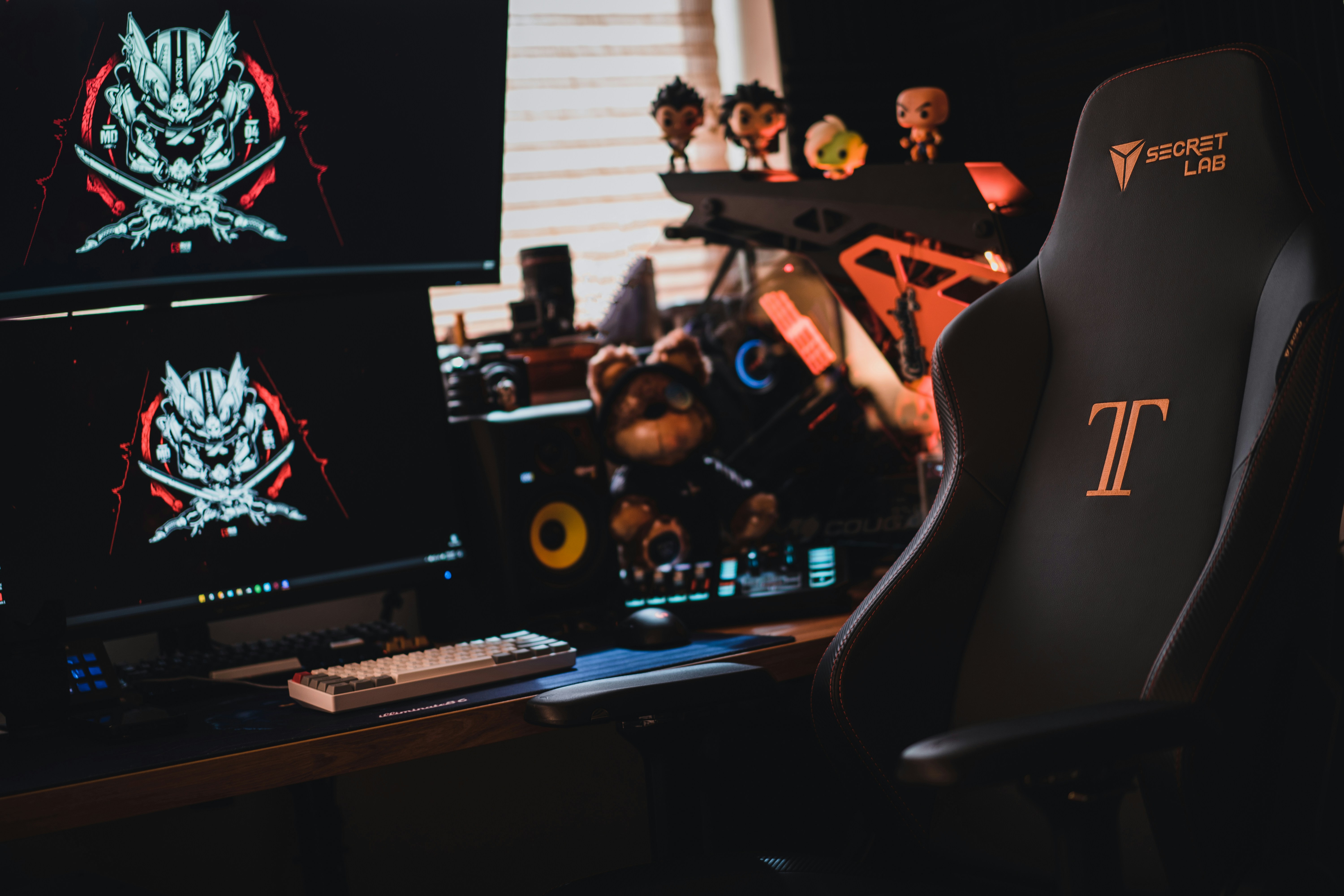
If you’re going to sit for hours grinding through campaigns or climbing ranks, your chair isn’t just furniture—it’s your base. First, look for solid lumbar support. The curve of the backrest should follow the natural curve of your spine, especially in the lower back. Adjustable lumbar options are even better, so you can tweak it to your body.
Next comes adjustability. You’re looking for a chair that lets you set seat height, armrest angles, and recline tension. A decent recline angle isn’t about leaning back and zoning out—it’s about giving your body the option to shift positions and avoid locking up.
Materials count, too. Mesh backs breathe better, which matters during long sessions. High-density foam feels firm but doesn’t flatten after a few months. Leather looks nice, but synthetic fabrics usually hold up better without running hot.
Finally, budget vs. premium. A $150 chair can get the job done if you choose smartly, but the difference with premium models is in longevity and micro-adjustability. It’s less about luxury and more about reducing pain after six hours in a row. If gaming is part of your daily routine, that upgrade pays off faster than you think.
Step 2: Desk and Monitor Positioning
Getting your monitor in the right spot isn’t about aesthetics. It’s about your spine and your eyes holding up over long sessions. The top of your screen should line up with your eye level, or sit just below it. Your eyes should hit the top third naturally, without tilting your head. If you’re looking down or up too much, you’ve already lost.
Distance-wise, aim for 20 to 30 inches from your eyes, or about an arm’s length. This cuts eye strain without making you squint at the mini-map or misread your health bar. If you’re working with multiple monitors, make sure your primary one is centered. Everything else should angle around it.
This is where monitor arms earn their keep. They let you raise, tilt, and slide your screen without stacking books or shoving boxes underneath. Adjustable desks pair well with them, letting you tweak height whether you’re sitting or standing. You don’t need a full studio setup, but a dialed-in screen position can mean less fatigue, better posture, and longer play without needing ice packs or ibuprofen.
Step 4: Lighting and Room Setup
Screen glare is one of the fastest ways to exhaust your eyes, and it’s easy to overlook. The key is simple: position your monitor so that windows or strong light sources aren’t behind or directly in front of it. Use matte screen protectors if needed, and avoid overhead lighting that bounces off your display.
For ambient lighting, aim for soft, indirect light that frames the room instead of attacking your screen visibility. LED strips behind your monitor or along your desk edges can make a big difference. They help reduce contrast strain, and honestly, they make your setup feel next-level without being flashy.
Cable chaos isn’t just an eyesore. It’s a trip hazard and a posture killer. Tangled cords pull on gear, mess with your hand and arm positioning, and can restrict how you sit. Use simple fixes like cable clips, zip ties, or under-desk trays. Cleaner cables equal less adjusting, less fidgeting, and a more stable posture you won’t have to think about.
Step 5: Habits That Help
Staying locked in for hours might get you to the next level, but your body will call you out for it eventually. This is where small habits step in and make a big difference.
Start with the 20-20-20 rule. Every 20 minutes, look at something 20 feet away for at least 20 seconds. It’s a simple fix that helps reduce eye strain and lets your vision recover from screen overload.
Microbreaks matter too. Stand up. Stretch your arms. Roll your shoulders. Shake out tension. Even 2-3 minutes every hour can loosen muscles and fight off the stiffness that creeps in through low-effort posture. Don’t wait until your neck is sore to start moving. Use a timer if you have to.
And yeah, setting limits sounds boring, but it’s not about being strict, it’s about sustainability. Stack your sessions, not your pain. Schedule breaks between matches or switch up activities for 10 minutes every hour. It keeps you sharper and lets you last longer without burning out.
You don’t need to overhaul your entire lifestyle. Just layer in a few of these resets. Your body will thank you, and your performance probably will too.